Quick Answer
Getting cited in ChatGPT, Claude, Perplexity, and Google AI Overviews depends on two technical foundations most sites get wrong: robots.txt permissions and JavaScript rendering. AI crawlers fall into two distinct categories, training crawlers like GPTBot and Google-Extended that feed model training without generating citations, and retrieval or search crawlers like OAI-SearchBot, Claude-SearchBot, and PerplexityBot that fetch pages in real time to answer live user questions and do generate citations. Blocking a retrieval bot removes your brand from that platform’s answers entirely. Separately, and just as important, GPTBot, ClaudeBot, and PerplexityBot do not execute JavaScript at all. A joint Vercel and MERJ analysis of more than 500 million GPTBot fetches found zero evidence of JavaScript execution, meaning a page can rank first on Google while being completely invisible to every major AI answer engine if its content only renders client-side.
Key Takeaways
- AI crawlers split into two functionally different categories, and treating them the same is the single most common configuration mistake. Training crawlers (GPTBot, Google-Extended, CCBot) scrape content for future model training and generate no citations or referral traffic. Retrieval crawlers (OAI-SearchBot, Claude-SearchBot, Claude-User, PerplexityBot) fetch pages live to answer real user questions and are the ones directly responsible for citations.
- GPTBot traffic grew 305% year over year, and AI bots now account for roughly 4.2% of all HTML page requests across the web, a volume too significant to leave unconfigured or accidentally blocked.
- No major AI crawler executes JavaScript, full stop, as of mid-2026. GPTBot, ClaudeBot, PerplexityBot, and their peers all fetch raw HTML and extract only what’s present in that initial response, with zero rendering queue and no second attempt.
- The two meaningful exceptions inherit rendering from existing search infrastructure. Google AI Overviews and AI Mode ride on Googlebot’s rendering pipeline, and Microsoft Copilot rides on Bing’s, so a client-rendered page can remain visible to those two specifically while staying invisible to ChatGPT, Claude, and Perplexity.
- Perplexity-User occupies a genuinely contested position. Perplexity has publicly stated this specific agent “is not a bot” and is therefore not obligated to honor robots.txt at all, a stance that has caused real, documented disputes with publishers and infrastructure providers like Cloudflare.
- llms.txt does not override a robots.txt block. A compliant AI crawler that’s disallowed in robots.txt will still respect that block regardless of what an llms.txt file states, making the two files complementary rather than substitutes for one another.
- Selective configuration, not a blanket allow-all or block-all policy, is what most 2026 practitioners recommend, giving site owners precise control over which bots access which content for which purpose.
Why This Now Determines Whether You’re Cited
AI crawler traffic has moved from a technical curiosity to a genuinely significant share of overall web traffic in a very short window. GPTBot requests grew 305% year over year, and AI bots collectively now account for approximately 4.2% of all HTML page requests across the web. Vercel’s own network data shows OpenAI’s GPTBot alone generating hundreds of millions of monthly requests, with Anthropic’s Claude close behind, together with PerplexityBot and Applebot representing a combined volume equal to roughly 28% of Googlebot’s total request volume.
The practical stakes are direct: every one of these crawlers has to actually reach and correctly read your content before your brand has any chance of appearing in an AI-generated answer. Two failure points determine whether that happens, and both are entirely within a site owner’s control: whether robots.txt permits the right bots to access the right content, and whether that content is even present in the raw HTML those bots receive, given that most of them cannot render JavaScript at all. Getting either one wrong silently removes a site from the fastest-growing discovery channel on the web, often without any error message or obvious warning sign.
Training Crawlers vs. Retrieval Crawlers: The Distinction That Matters
The single most important concept in AI crawler management is the difference between crawlers that train future models and crawlers that retrieve content in real time to answer a live user question. Confusing the two, or applying one blanket policy to both, is the most common and most consequential configuration mistake site owners make.
Training crawlers scrape content to improve future versions of a foundation model. GPTBot and Google-Extended are the clearest examples. These crawlers do not generate citations, links, or direct referral traffic in the near term; their effect on visibility, if any, is indirect and plays out over the training and release cycle of future models. Whether to allow them is a genuine strategic decision: blocking them protects content from being incorporated into model training without direct attribution, but evidence suggests brands that allow training crawlers may build greater underlying model familiarity with their content over time, which can translate into more frequent and more accurate citation once those models are deployed.
Retrieval and search crawlers work completely differently. When a user asks ChatGPT, Claude, or Perplexity a question that requires current information, these systems dispatch a crawler, OAI-SearchBot, Claude-SearchBot, Claude-User, or PerplexityBot, to fetch and read relevant pages in real time, then generate a cited answer from what they find. Blocking one of these bots has an immediate, direct consequence: your content becomes structurally unable to appear in that platform’s answers at all, regardless of how relevant or authoritative it might otherwise be. This distinction is why a genuinely well-configured robots.txt file treats these two categories differently rather than applying a single rule to every AI-related user-agent it contains.
Read More: ChatGPT Search vs. Google AI Overviews: What Actually Changes for SEO in 2026
The Complete AI Crawler Reference Table
| User-Agent | Operator | Type | Function |
|---|---|---|---|
| GPTBot | OpenAI | Training | Scrapes content for model training, no direct citation |
| OAI-SearchBot | OpenAI | Retrieval | Powers ChatGPT Search citations |
| ChatGPT-User | OpenAI | Retrieval (user-invoked) | Fetches pages when a user directly requests a browse action |
| ClaudeBot | Anthropic | Training/crawling | General crawling and training |
| Claude-User | Anthropic | Retrieval (user-invoked) | Fetches pages during a live Claude conversation |
| Claude-SearchBot | Anthropic | Retrieval | Powers Claude’s search-grounded answers |
| anthropic-ai | Anthropic | Legacy token | Older Anthropic crawler identifier, still referenced in some configurations |
| PerplexityBot | Perplexity | Retrieval | Fetches and reads pages to generate cited Perplexity answers |
| Perplexity-User | Perplexity | Contested | Perplexity states this is an agent, not a bot, not obligated to honor robots.txt |
| Google-Extended | Training opt-out | Controls whether content trains Gemini and related models, separate from Googlebot | |
| CCBot | Common Crawl | Training | Feeds the open Common Crawl dataset used to train many third-party models |
| Bytespider | ByteDance | Training/retrieval | Crawls for ByteDance’s AI products |
| Amazonbot | Amazon | Training/retrieval | Crawls for Amazon’s AI and Alexa-related products |
| Applebot-Extended | Apple | Training | Controls whether content trains Apple’s AI models |
| meta-externalagent | Meta | Training/retrieval | Crawls for Meta AI products |
Each token requires its own explicit directive; blocking one Anthropic bot, for instance, does not automatically block Claude-User or Claude-SearchBot, since each is a distinct user-agent that must be addressed individually.
The JavaScript Rendering Gap
Even a site with a perfectly configured robots.txt file can remain functionally invisible to AI search if its core content only appears after client-side JavaScript execution, and this is a genuinely underappreciated failure mode in 2026.
The evidence here is no longer anecdotal or debated. A joint analysis by Vercel and MERJ tracked more than 500 million GPTBot fetches and found zero evidence of JavaScript execution, not limited execution, not delayed execution, zero. The same held true for ClaudeBot, Meta’s external agent, ByteDance’s crawler, and PerplexityBot. Even in cases where GPTBot downloaded a page’s JavaScript files directly, which happened in roughly 11.5% of measured fetches, it never actually executed them. These crawlers fetch the initial HTML response your server returns and extract only what’s already present there; there is no rendering queue and no second attempt.
There are two meaningful exceptions, both explained by shared infrastructure rather than independent rendering capability. Google AI Overviews and AI Mode inherit Googlebot’s rendering pipeline, which does execute JavaScript through a headless Chrome-based engine, so a client-rendered page can remain visible there even while being invisible elsewhere. Microsoft Copilot similarly inherits Bing’s rendering behavior. Every other major AI crawler, including GPTBot, ClaudeBot, and PerplexityBot, lacks this capability entirely.
The practical consequence is a scenario many sites don’t realize they’re already in: a JavaScript-heavy single-page application can rank first on Google, since Google fully renders and indexes the page, while remaining completely blank to ChatGPT, Claude, and Perplexity simultaneously. There’s a second-order cost as well. Structured data, the schema.org JSON-LD markup that answer engines lean on to understand what a page actually is, is frequently injected by the same client-side JavaScript bundle as the visible content. If your content is a client-rendered shell, your structured data is usually a shell too, meaning both the text and the machine-readable layer disappear from AI crawlers at once.
The fix is a rendering strategy, not a robots.txt trick. There is no meta tag or directive that makes a JavaScript-only shell legible to a crawler that doesn’t execute scripts. The core content needs to exist in the initial HTML response itself, which generally means server-side rendering, static site generation, or a hybrid rendering approach for any page whose content matters for AI visibility, reserving pure client-side rendering for genuinely interactive elements that don’t need to be independently discoverable.
Read More: Content Velocity: How to Use Google Trends Breakout Topics to Win AI Search in 2026
How to Configure Robots.txt for AI Crawlers
The goal of a well-configured robots.txt file in 2026 is precision, controlling which bots access which content for which purpose, rather than applying a broad allow-all or block-all rule that either exposes content unnecessarily or removes a brand from AI search entirely.
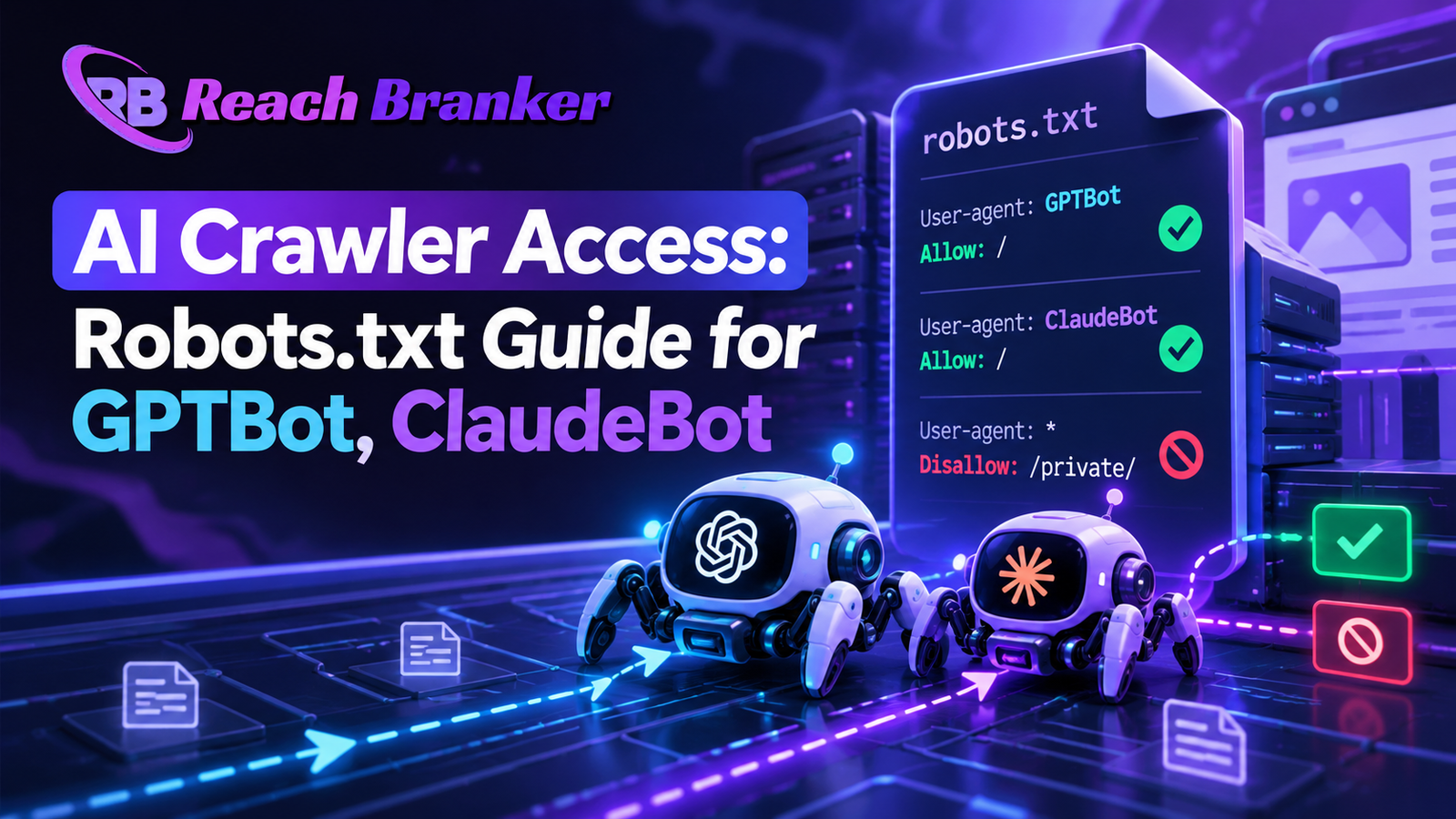
Selective configuration is the approach most 2026 practitioners recommend: block training-only crawlers if intellectual property protection is a genuine priority, while explicitly allowing retrieval and search-indexing bots so citation opportunities remain open. In practice, this means adding a separate User-agent block for each bot you want to control individually, with a Disallow directive beneath any training crawler you want to restrict and an Allow directive beneath any retrieval bot you want to permit.
A representative selective configuration looks like this:
User-agent: GPTBot
Disallow: /

User-agent: OAI-SearchBot
Allow: /

User-agent: ChatGPT-User
Allow: /

User-agent: ClaudeBot
Disallow: /

User-agent: Claude-User
Allow: /

User-agent: Claude-SearchBot
Allow: /

User-agent: PerplexityBot
Allow: /

User-agent: Google-Extended
Disallow: /

User-agent: Googlebot
Allow: /

User-agent: Bingbot
Allow: /

Sitemap: https://yourdomain.com/sitemap.xml
This configuration blocks the two primary training-only crawlers (GPTBot and ClaudeBot in their general training capacity, plus Google-Extended for Gemini training) while explicitly permitting the retrieval and search-specific bots that directly power citations, alongside standard traditional search engines. A brand pursuing maximum AI visibility instead, with no IP protection concerns, would simply allow every listed bot with an Allow directive across the board. Always include a Sitemap reference at the bottom of the file regardless of which policy you choose, and validate the finished file using Google’s robots.txt testing tools or a dedicated AI-crawler-aware auditing tool before deploying it to production.
llms.txt vs. Robots.txt: What Each Actually Does
A meaningful source of confusion in 2026 is the relationship between llms.txt and robots.txt, and it’s worth stating plainly: llms.txt does not override or lift a robots.txt block. If a compliant crawler is disallowed in robots.txt, publishing an llms.txt file does not restore its access. llms.txt serves a different, complementary function, providing a structured, LLM-friendly index of a site’s key pages for user-directed agent fetches, essentially a curated map for an AI agent that’s already permitted to access the site. Robots.txt remains the actual access-control layer; llms.txt is a navigation aid layered on top of whatever access robots.txt already grants. Sites that publish a thorough llms.txt file while leaving robots.txt blocking the relevant crawlers are solving the wrong half of the problem.
The Perplexity-User Controversy
Most AI crawlers are, by design, well-behaved with respect to standard web conventions: they honor robots.txt directives and avoid attempting to bypass anti-bot technologies like CAPTCHAs. Perplexity-User is a documented exception to this general pattern, and it’s worth understanding specifically because it affects how much control robots.txt actually gives a site owner over this particular agent.
Perplexity has publicly taken the position that Perplexity-User functions as an agent acting directly on behalf of an individual user, rather than an automated bot, and has argued on that basis that it is not required to honor robots.txt directives in the same way a conventional crawler would be. This stance has led to real, documented friction with publishers and infrastructure providers, Cloudflare among them, who have pushed back on the distinction. For site owners, the practical implication is that a robots.txt Disallow rule targeting Perplexity-User specifically may not reliably prevent that agent from fetching content, unlike the more predictable behavior of PerplexityBot itself, which does follow standard robots.txt conventions as a conventional retrieval crawler.
How to Test Whether Your Site Is Actually Visible
Confirming actual AI crawler visibility requires checking more than just the contents of your robots.txt file, since a permissive robots.txt combined with client-side-only content still leaves a site effectively invisible.
Check your raw HTML directly. Right-click any page and select “View Page Source” rather than using the browser’s regular inspector, which shows the rendered DOM after JavaScript execution. If your actual text content, product details, and key information appear in that raw source, the page is server-rendered and visible to AI crawlers. If you see only an empty container element and script tags, the page is client-rendered and effectively invisible to GPTBot, ClaudeBot, and PerplexityBot regardless of your robots.txt configuration.
Compare user-agent responses directly. Several auditing tools let you fetch a page as a specific crawler user-agent and compare the resulting response against a standard browser-style request, surfacing status code, metadata, and content-volume differences that indicate a cloaking or rendering mismatch worth investigating further.
Monitor server logs for actual crawler activity. Confirm that GPTBot, ClaudeBot, and OAI-SearchBot requests are receiving 200 status responses with genuinely content-rich HTML, rather than empty shells or error responses, which server logs will reveal even when everything looks correct from the robots.txt file alone.
Step-by-Step Implementation Checklist
- Audit your current robots.txt file and identify every AI-related user-agent directive currently present, noting any that may be blocking retrieval bots unintentionally.
- Decide your training-crawler policy (GPTBot, ClaudeBot’s training function, Google-Extended, CCBot) based on your actual IP sensitivity and long-term AI visibility goals, rather than defaulting to block-everything out of general caution.
- Explicitly allow retrieval and search bots (OAI-SearchBot, ChatGPT-User, Claude-User, Claude-SearchBot, PerplexityBot) unless you have a specific, deliberate reason to exclude your content from a given platform’s live answers.
- View Page Source on your highest-value pages to confirm core content and structured data exist in the raw HTML rather than being injected client-side.
- Migrate critical content to server-side rendering, static generation, or a hybrid approach wherever View Source reveals an empty shell.
- Add or update your Sitemap directive at the bottom of robots.txt regardless of your allow/block policy choices.
- Publish or update your llms.txt file as a complementary navigation aid, understanding it does not substitute for correct robots.txt permissions.
- Validate the finished robots.txt file using a robots.txt testing tool before deploying to production.
- Monitor server logs monthly for GPTBot, ClaudeBot, and PerplexityBot activity to confirm ongoing access and content-rich responses over time.
Common Mistakes
- Blocking all AI-related user-agents as a single blanket policy, removing retrieval bots that generate citations along with training bots that don’t, without distinguishing between the two.
- Assuming one Disallow rule covers an entire company’s bots. Blocking ClaudeBot does not block Claude-User or Claude-SearchBot; each token needs its own explicit directive.
- Publishing an llms.txt file while robots.txt still blocks the relevant crawlers, solving only half the access problem.
- Never checking raw HTML source, leaving a JavaScript-rendered content gap completely undiagnosed while assuming a permissive robots.txt file alone guarantees visibility.
- Treating Perplexity-User the same as PerplexityBot, expecting a standard Disallow rule to reliably control an agent Perplexity itself has stated does not consider itself bound by robots.txt.
- Building an entire technical SEO strategy around Googlebot alone, missing that a client-rendered page can succeed on Google while remaining structurally invisible to every major AI answer engine simultaneously.
- Never revisiting the configuration after initial setup, despite how quickly new AI crawler user-agents and platform policies have continued to emerge throughout 2026.
Conclusion
AI crawler access has become genuine technical infrastructure, not a minor configuration detail, and the two failure points covered here, an imprecise robots.txt policy and unrendered JavaScript content, are almost entirely invisible until you specifically test for them. A site can hold strong traditional rankings while remaining functionally absent from ChatGPT, Claude, and Perplexity’s answers, with no error message ever surfacing to explain why. The fix, in both cases, is concrete and largely a one-time implementation effort rather than an ongoing campaign: distinguish training crawlers from retrieval crawlers and configure robots.txt with that distinction in mind, confirm your highest-value content actually exists in raw HTML rather than behind a client-side rendering gap, and revisit both periodically as new AI crawlers and platform policies continue to emerge. Sites that get this technical foundation right are positioned to be read, and cited, by every major AI answer engine, not just the search giant whose rendering infrastructure happens to be the most forgiving.
FAQs
Will blocking GPTBot remove my content from ChatGPT’s answers? +
Not necessarily. GPTBot is associated with model training, while OAI-SearchBot is used for search. Blocking GPTBot does not by itself prevent your pages from appearing in ChatGPT Search citations if the relevant search crawler remains allowed.
Do I need to block Google-Extended if I already allow Googlebot? +
They are separate controls. Googlebot handles Google Search crawling and indexing, while Google-Extended controls certain uses of your content by Google’s Gemini models and related AI systems.
Why does my JavaScript-heavy site rank well on Google but never get mentioned by ChatGPT or Claude? +
A JavaScript rendering gap may be responsible. If important content is only available after client-side rendering, AI crawlers that cannot fully render it may receive an incomplete HTML page and miss content that Google can process.
Can I really not control Perplexity-User through robots.txt? +
Perplexity distinguishes Perplexity-User from its standard crawler. Perplexity-User operates as a user-directed agent, while PerplexityBot is the conventional crawler intended to follow robots.txt directives.
Does publishing an llms.txt file fix a robots.txt block? +
No. An llms.txt file does not override robots.txt restrictions. If you use both, their directives and site-access configuration should remain consistent.
How urgent is fixing a JavaScript rendering gap compared to updating robots.txt? +
Both matter, but a rendering gap can be especially damaging because crawlers may have permission to access a page yet still receive little useful content. Check both crawler access and the content available in raw HTML.